No hardware needed
Everything happens on screen, so you can practise anywhere.
Real VHDL and Verilog
The same code you would put on a real FPGA, run by GHDL (VHDL-2008) and Icarus Verilog. The Windows app ships GHDL 5.0.1 and Icarus 13.0.
Free for everyone
Open source, and free to use at home or in class.
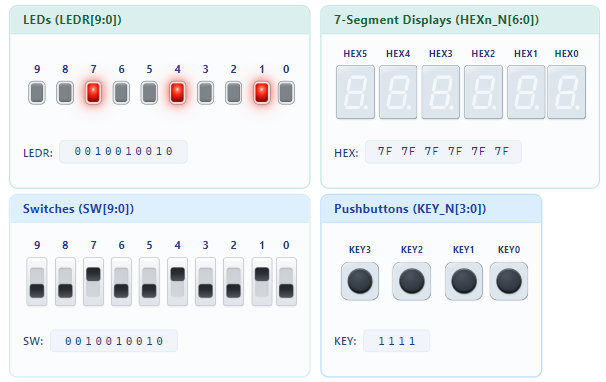
Flip a switch. Your design reacts.
Switches, pushbuttons, LEDs and 7-segment displays respond to your design while it runs. It feels like the real board, without one on your desk.
This is real simulation, not a JavaScript imitation: your design runs in GHDL or Icarus Verilog, and every flip of a switch goes to it while it runs.
Flip the switches yourself in the live demoMake a mistake. See why in a second.
HDLBoard compiles your design in under a second, while Altera Quartus Prime needs more than five. Mistakes are marked right in your code, with a message that says what is wrong.
Measured with the same file on a Windows 11 laptop (Intel Core i7-1185G7, 32 GB): GHDL 5.0.1 checks it in 0.02 s, Quartus Prime Lite 25.1 needs 8.8 s for Analysis & Synthesis alone. A full Quartus compile takes longer.
HDLBoard

- The lines with errors turn red in the editor
- The exact spot is underlined
- The message sits at the end of the line
- Both typos are found in one compile
Quartus Prime Lite
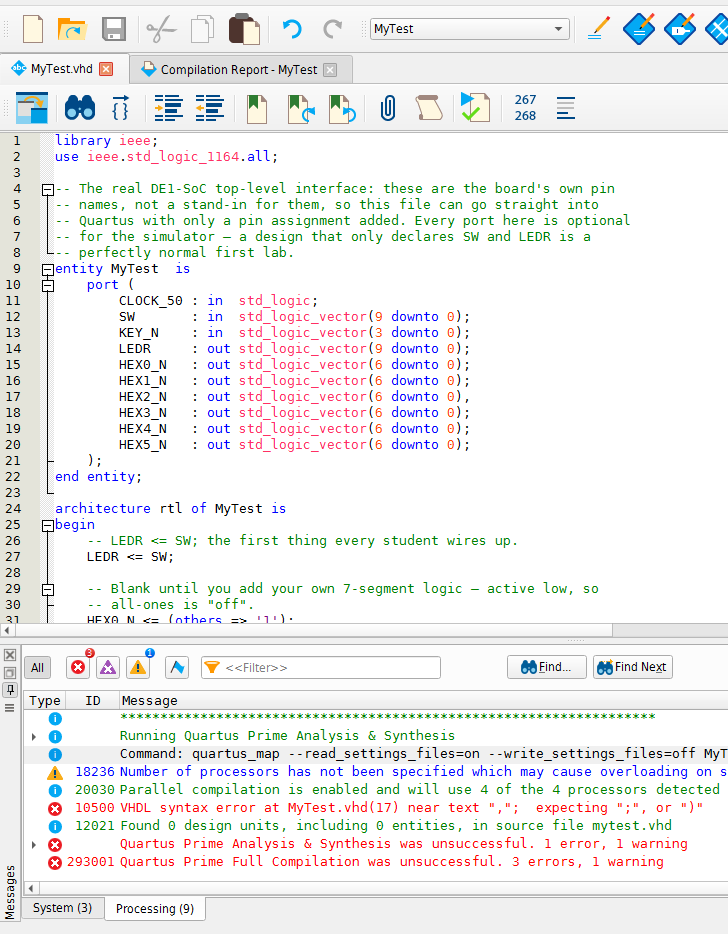
- Nothing is marked in the editor
- Error 10500 appears in a separate message list
- Only the first typo is reported, so the second costs another compile
Test your design. Side by side.
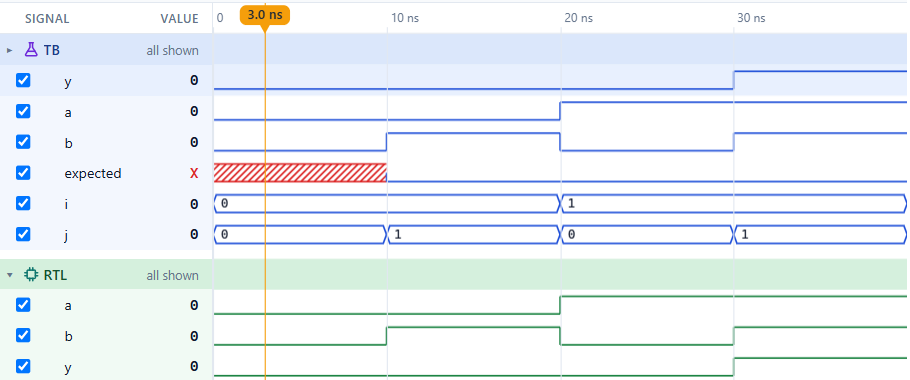
Automatically places your test and design. Press play to see the results.

Nothing to set up. Click the TB or RTL badge to show the test, the design or both side by side.
See every signal. Hand it in as a figure.
Open a testbench and click Waveform. That’s it.
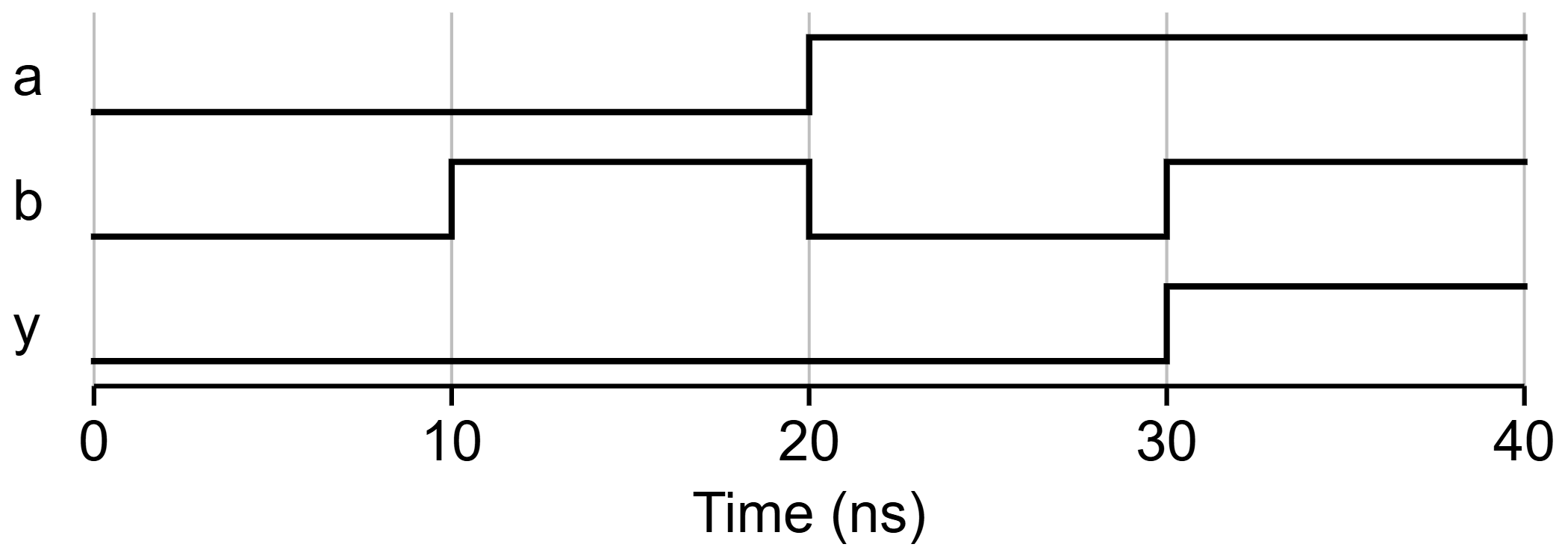
Paste it into your report
Figure for a report redraws the traces in view as a clean figure, sized for print the way IEEE asks. Copy it, or save it as PNG or SVG.
Point at a name. See where it lives.
Rest your mouse on a signal or port in HDLBoard's editor, or click it, and it lights up everywhere it appears in your code: where it's declared and every place it's used. No more scrolling up and down hunting for where sum was declared.

Side by side, it follows the wires: click sum in the testbench and the port it is connected to lights up in your design.
Your board. On screen.
Pick your board.
See familiar controls.
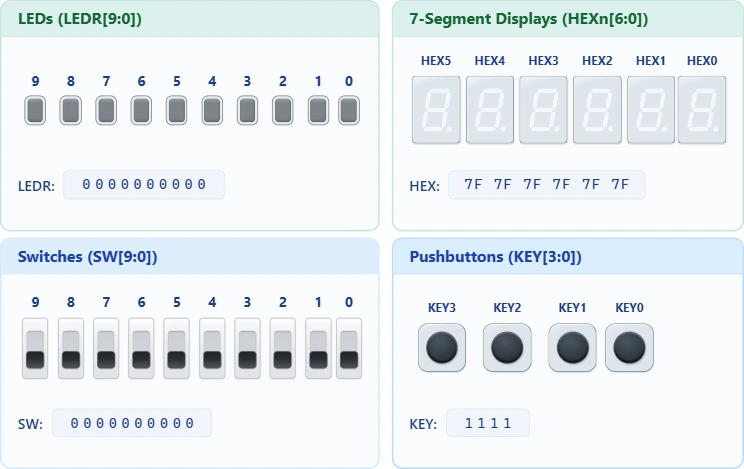
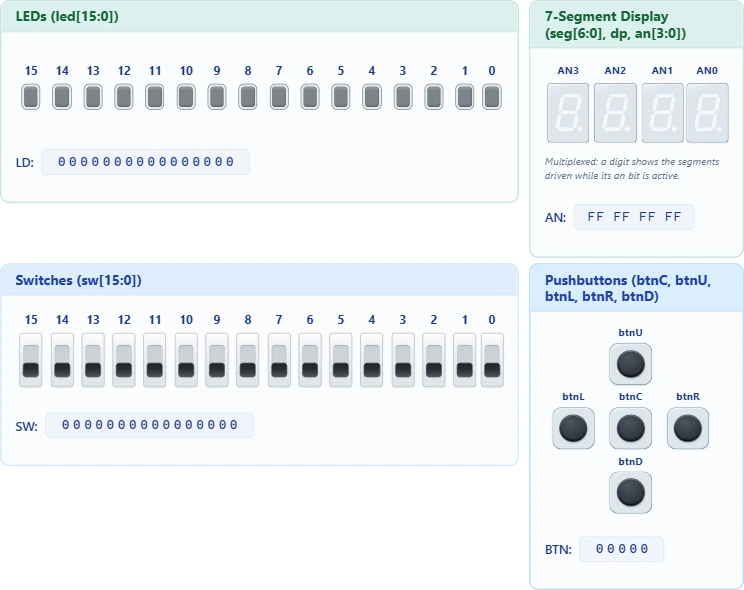
From the DE1-SoC’s switches to the Basys 3’s directional buttons, the simulation layout follows your board. Choose a built-in profile and work with its own port names, controls and displays.
DE1-SoC
10 switches · 10 LEDs · 4 pushbuttons
6 independent 7-segment displays
Basys 3
16 switches · 16 LEDs · 5 directional buttons
4-digit multiplexed display
Five profiles are built in: DE1-SoC, DE10-Lite, Basys 3, Nexys A7 and Default.
The board-specific profiles use the manufacturers’ names for switches, LEDs and other controls.
Your workspace, your layout
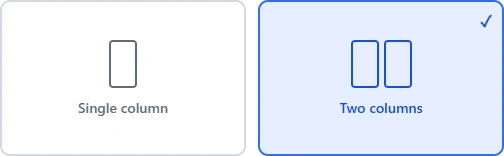
Arrange the Board I/O controls in one or two columns.
Choose a layout in Settings, then resize the panel beside your code.
Make room for your board
Start with a board.
Make it your own.
Different port names? A different number of switches? Open the board manager and make an editable copy of a built-in profile. Configure it with form fields and see the board preview update as you edit.
Read the board guide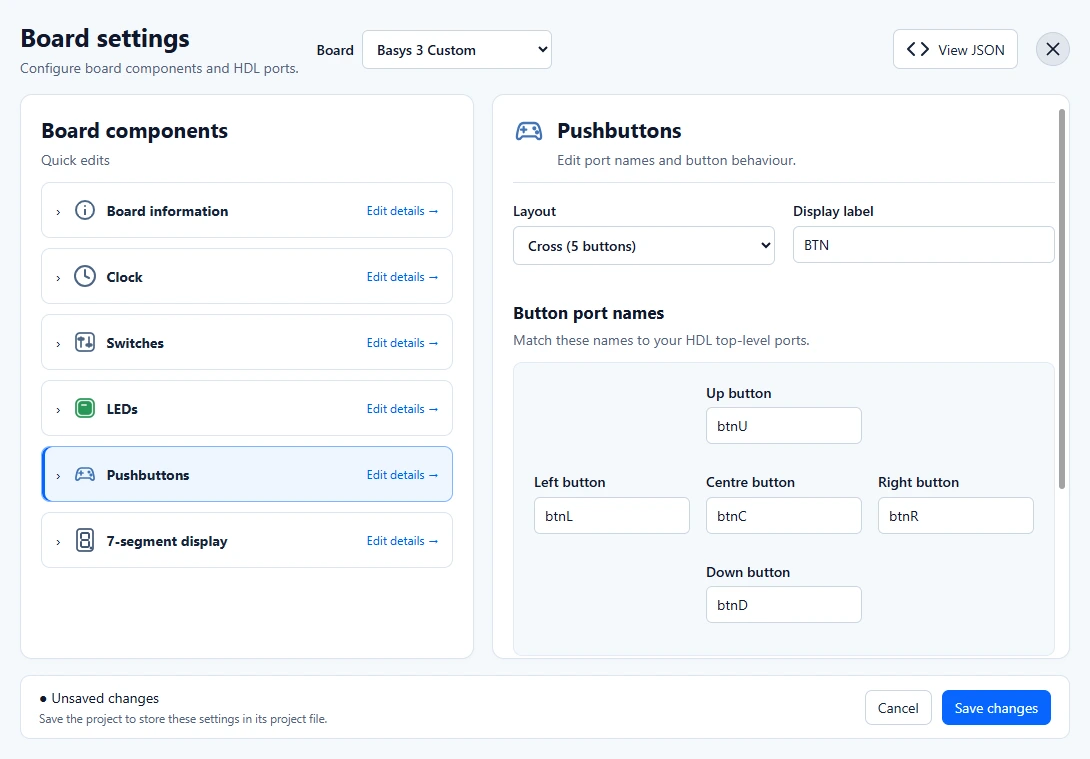
Copy a starting point
Go to Settings → Manage board, choose a profile and select Create editable copy.
Set up your controls
Edit port names, counts, button layouts and display settings. Valid changes appear in Board I/O.
Keep it with your project
Apply with Save changes, then save the project to keep its custom board configuration.
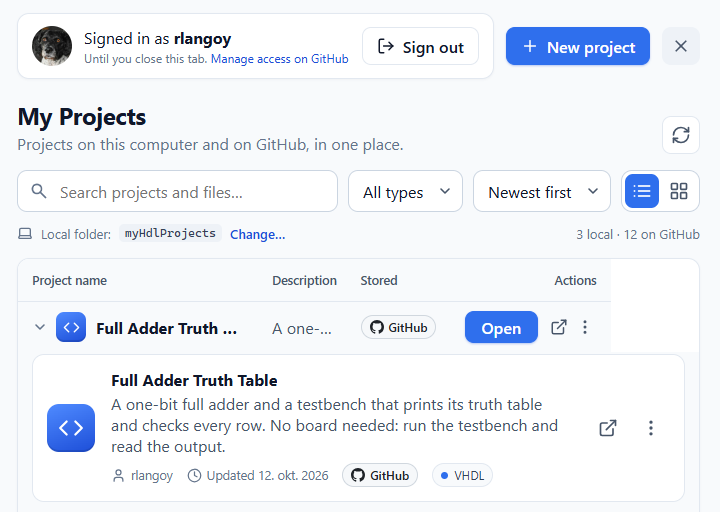
All your projects. One list.
Projects on your computer and on GitHub show up side by side, so you never have to remember where you saved something.
- Search across project names and files
- Filter by type, sort by newest, switch between list and grid
- Pick which folder on your computer holds your local projects
Store in the cloud. Share with others.
Save your projects to GitHub Gists, open them from anywhere, and share your work with teammates or your teacher.
- One-click save to the cloud
- Open the same project from any browser or the Windows app
- Share a link so others can open and run your design
Get started
Made at USN for students new to FPGA design. Pick what suits you.
-
Try it now
Runs in your browser. Nothing to install.
Try online -
Windows PC
Install the app on your own PC.
Download -
Linux PC
Run the AppImage on your own PC.
Download -
VirtualBox
Run a ready-made virtual machine.
Download -
Classroom
Host one copy for the whole class.
Hosting guide
How it works
- 1
Write
Edit VHDL or Verilog source files in the browser.
- 2
Simulate
GHDL (VHDL) or Icarus (Verilog) compiles and runs your design.
- 3
Watch it respond
Results are drawn live onto the virtual board.
- 4
Interact
Flip switches and press buttons, and see the design react.
- 5
Take it to the board
Same pin names as the DE1-SoC: add a pin assignment in Quartus and program it.
Also in the box
- Real-time pacing: a 1 Hz blink blinks once a second, as on the board
- Testbenches without ports, with
reportandassertoutput live in the console - Hints for common mistakes, like did you mean
range? for a misspelled keyword - Download one file or the whole project as a .zip
- Save projects to your GitHub account and pick them up on any computer
What it is not
- No synthesis, timing analysis or bitstream: use Quartus for the real board
- Board profiles simulate their configured switches, buttons, LEDs and displays, not every peripheral on the physical board
- In the browser, your work starts fresh every time you reload. Save to GitHub or download your files to keep them. (The Windows app preserves them automatically.)
Open source on GitHub
Read the code, report an issue or help make HDLBoard better. Guides and documentation live in the repository.